Find and view certificates
Find and view certificates
The Certificates page lists every certificate you've issued, with its delivery and verification status.
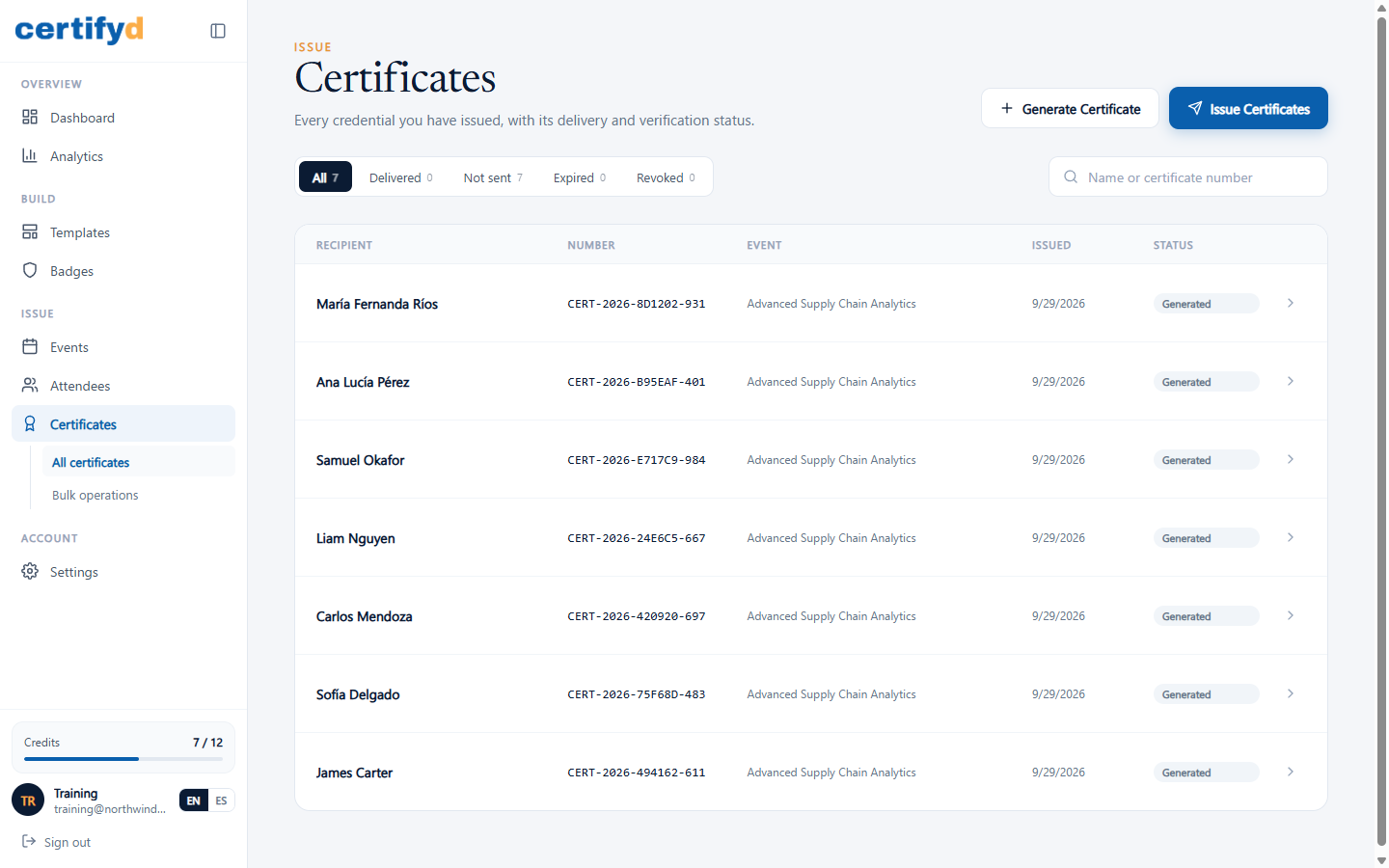
- Use the tabs to filter: All, Delivered, Not sent, Expired and Revoked.
- Search by recipient name or certificate number.
- Choose a row to open the certificate.
The certificate page
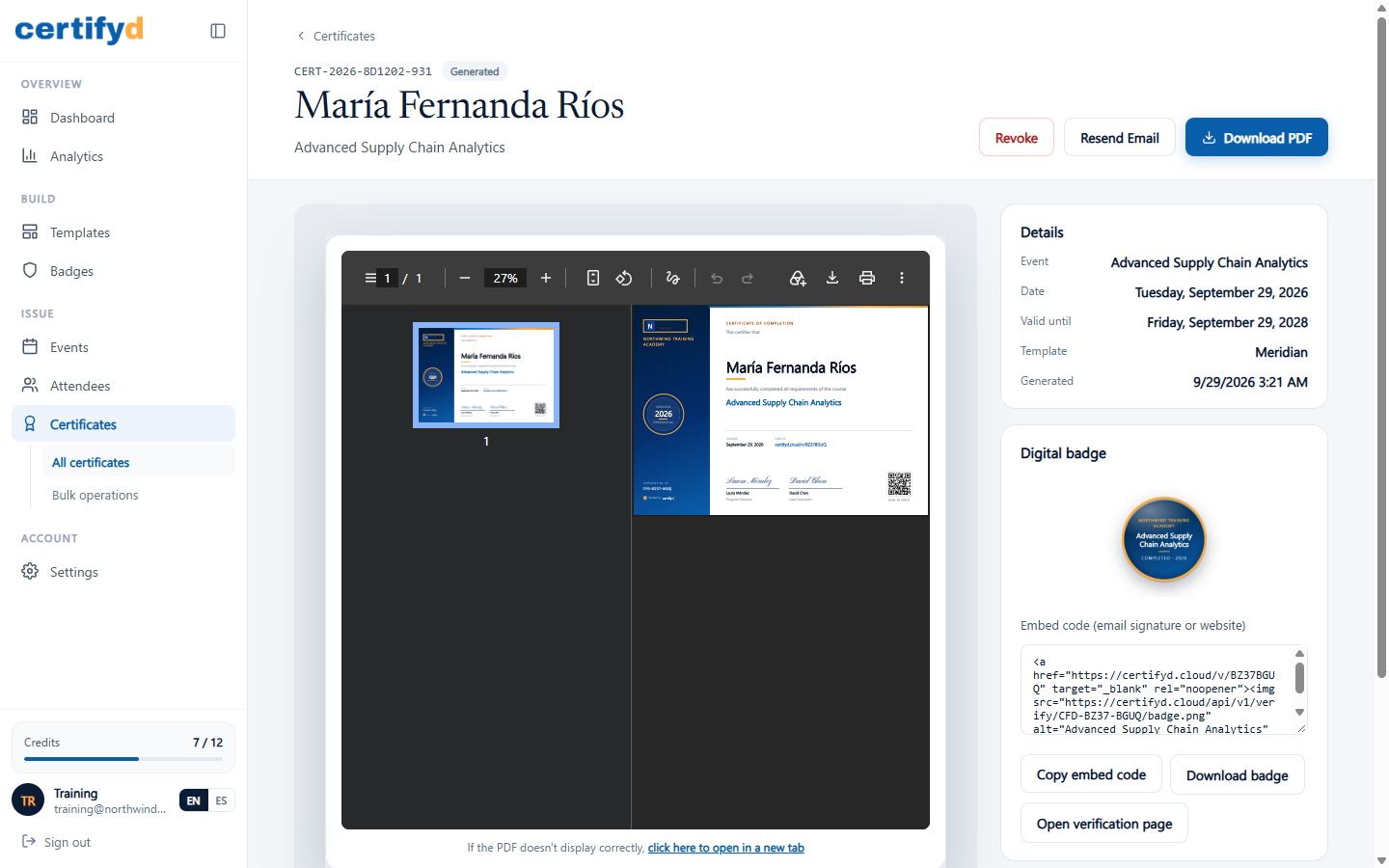
The certificate page shows:
- The PDF, which you can zoom, print or download. Choose Download PDF at the top for a copy.
- Details: event, date, Valid until (or "No expiry"), template and when it was generated.
- Digital badge: see Digital badges and embed codes.
- Actions: Resend Email, Revoke, Regenerate (rebuilds the PDF from the current template) and Delete.
Was this page helpful?