Browse the template library
Browse the template library
The template library has 60 professionally designed certificates, each with a matching badge. This page shows how to find a design and preview it with your own branding.
Open Templates in the menu and choose Browse Templates.
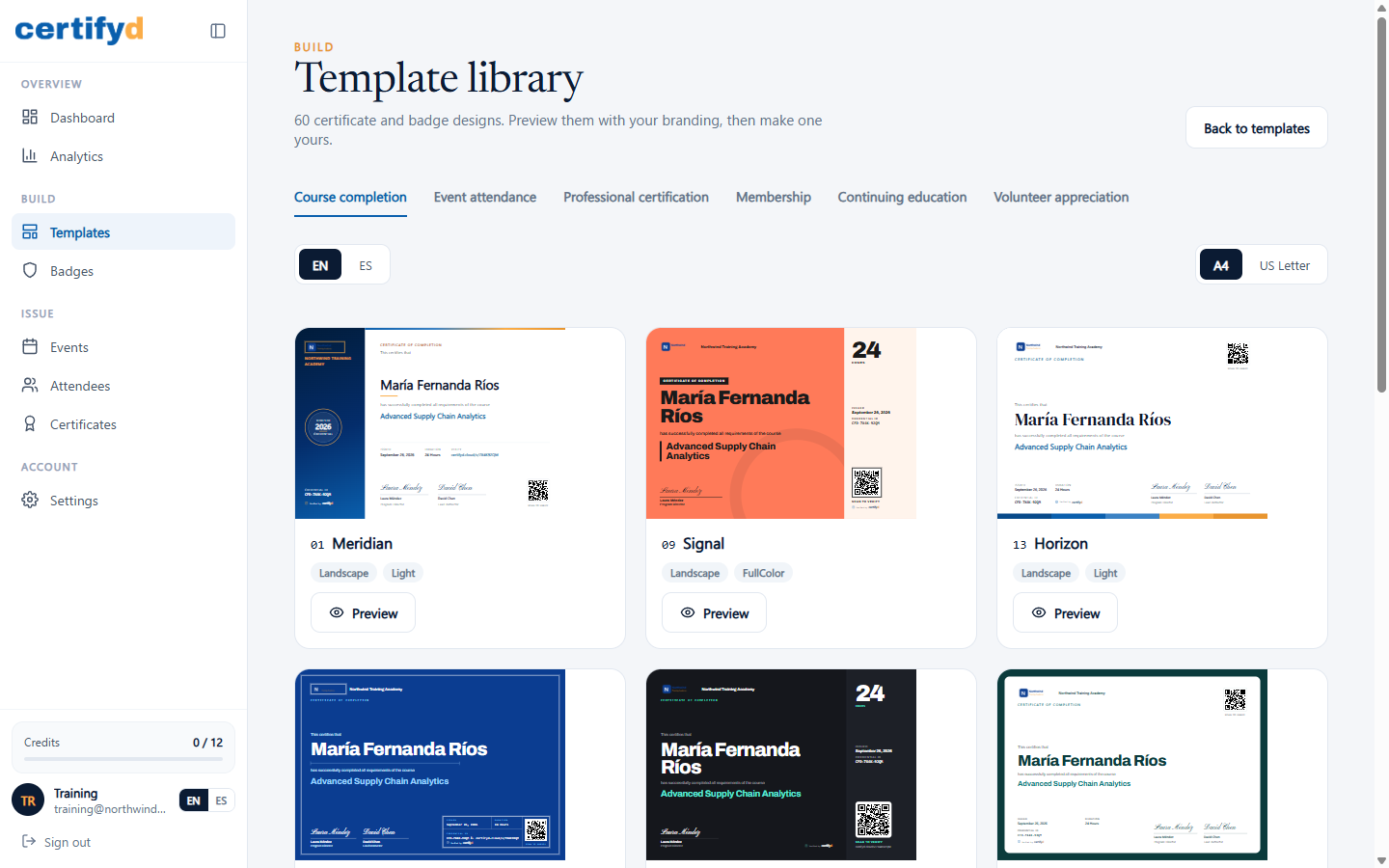
Find a design
- Categories: Course completion, Event attendance, Professional certification, Membership, Continuing education and Volunteer appreciation.
- Language: switch between EN and ES to see the design's wording in English or Spanish.
- Paper size: switch between A4 and US Letter. Every design works in both.
Every preview already uses your logo, issuer name and signers, so you see exactly what your recipients will get.
Preview a design
Choose Preview on any design. The preview shows the certificate and its matching badge. Type a sample Recipient name and Credential title to see how long names fit.
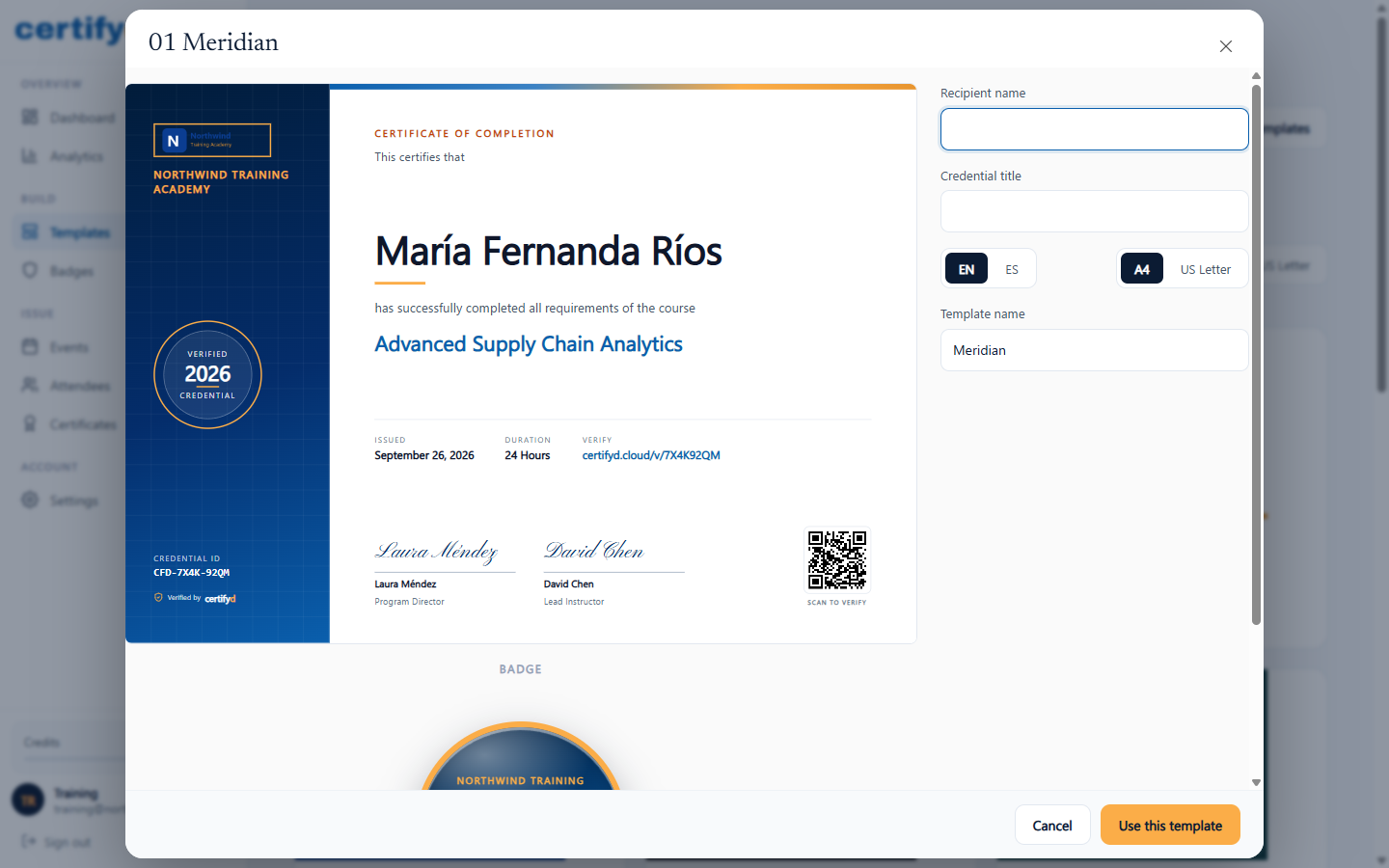
Every certificate includes a unique credential ID, a QR code that opens its verification page, and a "Verified by Certifyd" mark.
Next step
Was this page helpful?