 P4 Software
/
logisticaHQ
P4 Software
/
logisticaHQ
P4 Software
/
logisticaHQ
P4 Software
/
logisticaHQ
LogisticaHQ Almacén genera respaldos de la base de datos cada 12 horas, en formato bacpac de Microsoft. Un bacpac se importa con facilidad en cualquier Microsoft SQL 2008 o superior.
Instrucciones de bacpac de Microsoft (clic)
El primer paso es descargar sus datos de Almacén.
El paso 2 es, en SQL Manager (SSMS), hacer clic derecho en Bases de datos y seleccionar Importar aplicación de capa de datos
El paso 3 es seleccionar el archivo bacpac que descargó y asignar un nombre a su base de datos.
El paso 4 es hacer clic en Finalizar (el proceso normalmente tarda de 1 a 3 minutos).
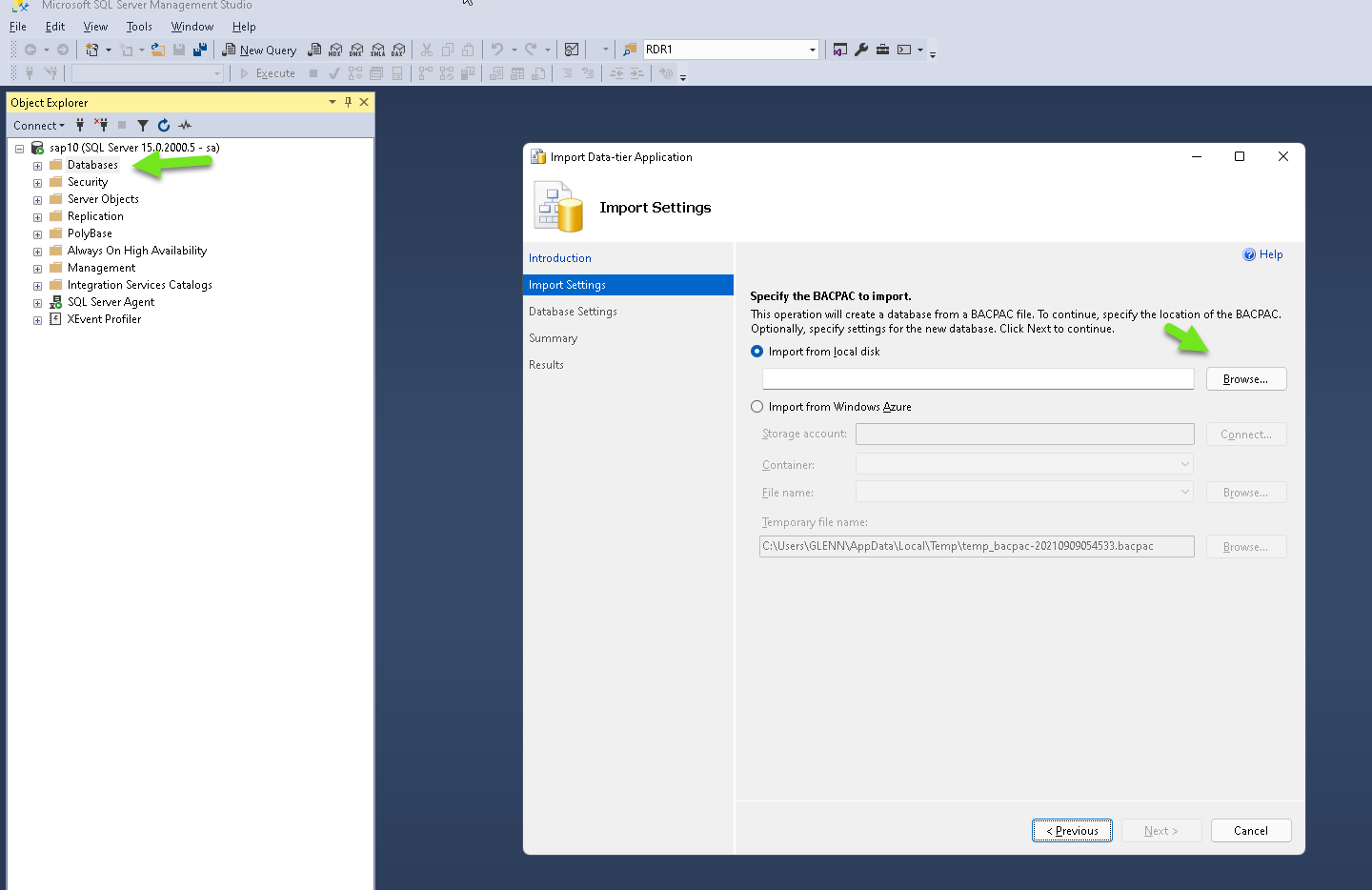
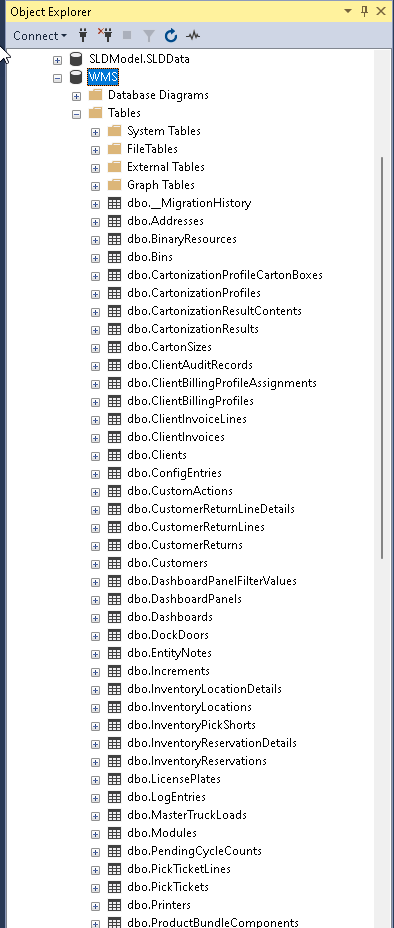
Encontrará los respaldos de la base de datos en Configuración/Sistema/Respaldos de base de datos
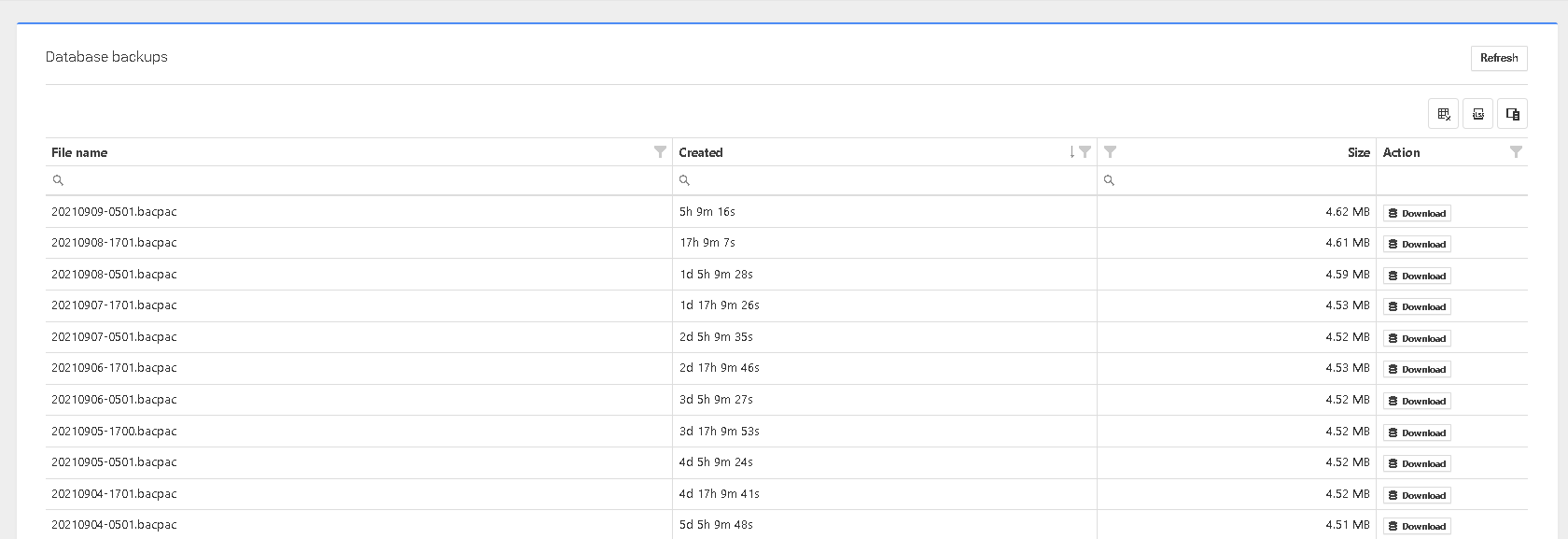
Al hacer clic en el botón de descarga, guardará el respaldo en su computadora local.
Este es un archivo bacpac que puede restaurarse en SQL 2008 R2 o versiones posteriores.
¿Te resultó útil esta página?