 P4 Software
/
P4 Warehouse
P4 Software
/
P4 Warehouse
P4 Software
/
P4 Warehouse
P4 Software
/
P4 Warehouse
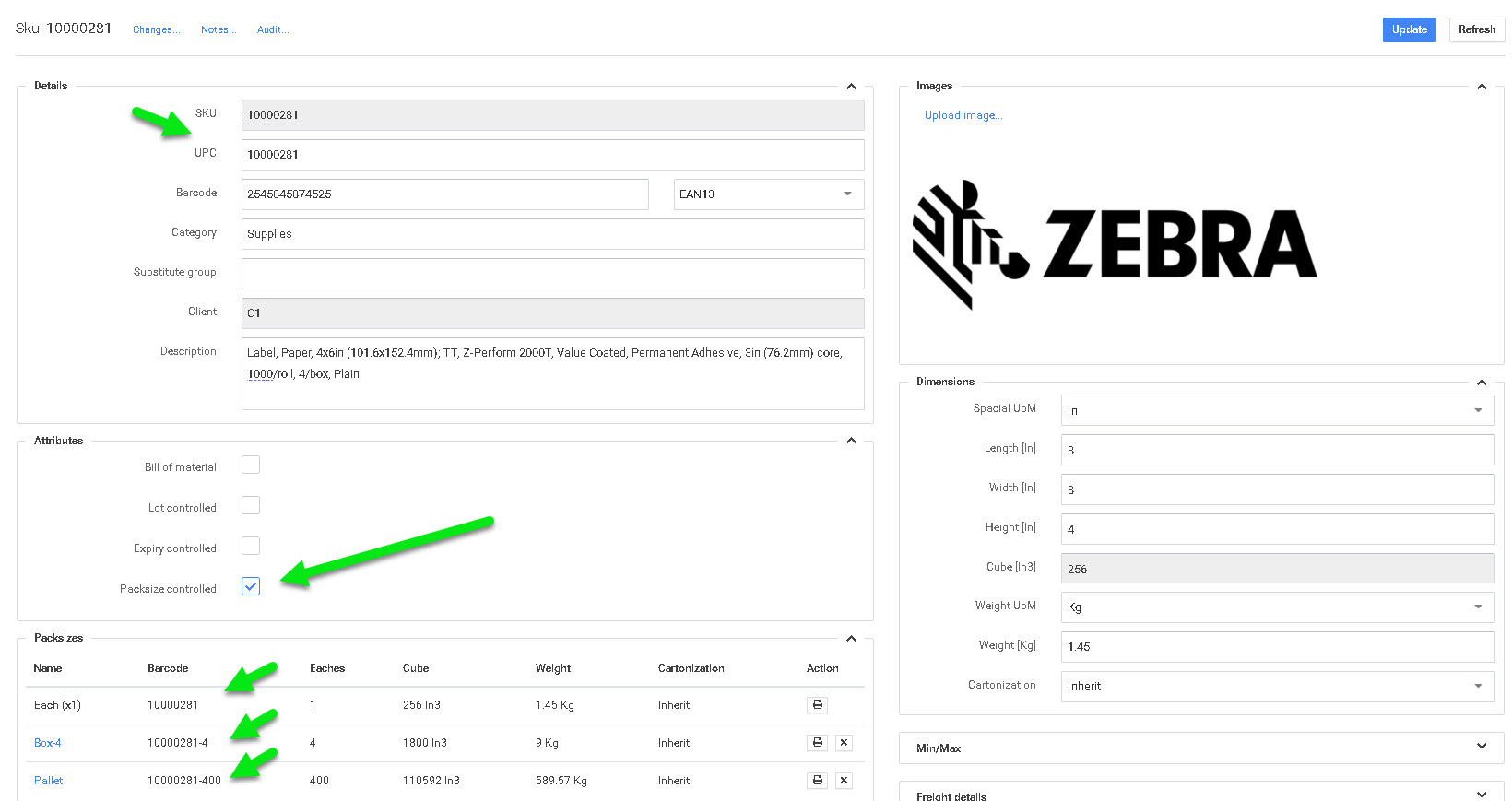
P4 Warehouse can have unlimited packsizes per product. Each packsize should be identified by a unique barcode for the packsize. If each packsize has a unique barcode P4 Warehouse will not ask what packsize you are processing, the software will simply ask for the quantity of packs.
An example would be if I have a product setup to the following packsizes, each, inner pack, outer pack, pallet packsize, and I am Receiving a container with 20 pallets I would scan the pallet barcode and receive 20 pallets in one operation.
Once the product is in the Warehouse, You can sell the product in any packsize as the software will ask to break the pallet quantity to any lesser packsize (Pallets to boxes for example). As demonstrated in the Photo each packsize has a unique barcode.
Serialized Products can only be managed in units.
Was this page helpful?