
P4 Software P4 Software / P4 Warehouse

Add these docs to Claude

Ask Claude questions about these docs. Claude reads the published pages and links you back to them. Copy this address:

https://docs.p4software.cloud/mcp

In claude.ai or Claude Desktop: open Settings, then Connectors, choose Add custom connector and paste the address.

In Claude Code, run:

claude mcp add --transport http docs https://docs.p4software.cloud/mcp

Printer Setup

Printer Setup

Print Setup is found under System>Printing>Printers

The newly installed Printers will default to 203 DPI, if you have a 300 or 600 DPI this will need to be setup by clicking the left button in the "Action" column.
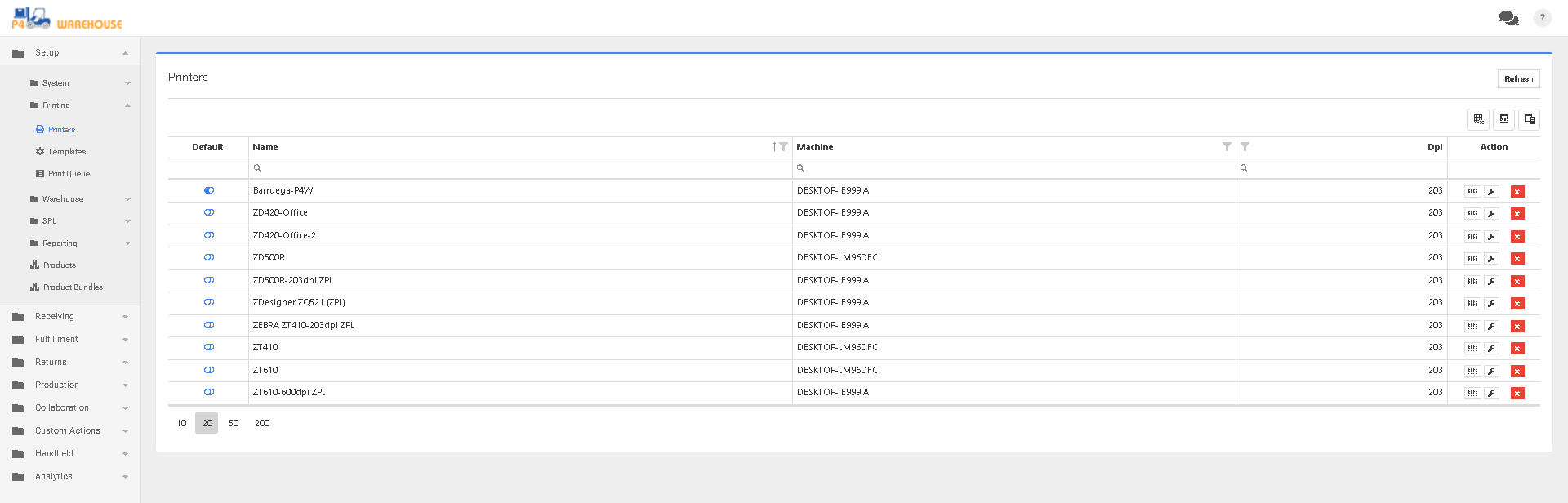
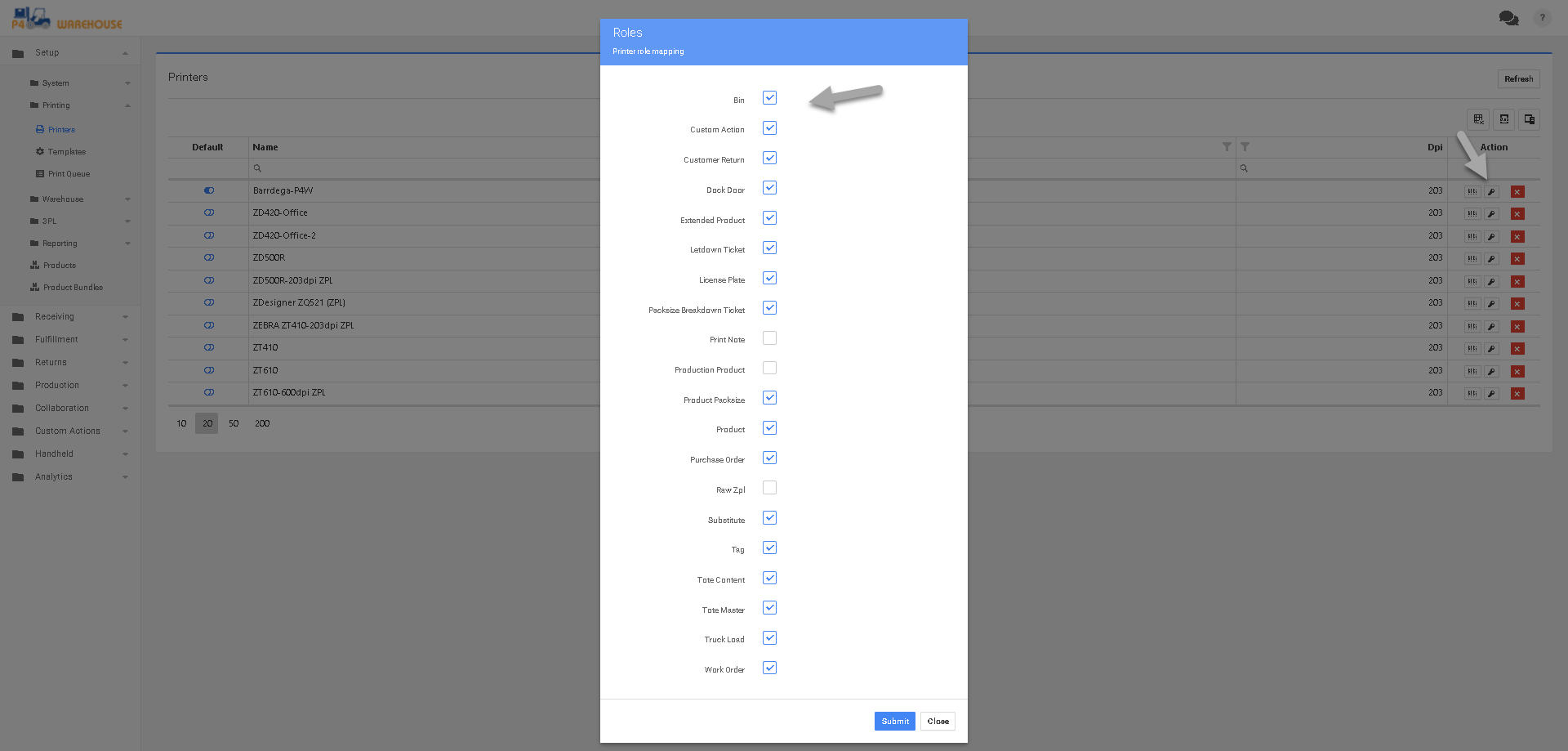
  • Select the default printer
  • Click the second button from the left to specify what Labels each printer should print.

P4 Warehouse Printer Setup

P4 Warehouse label format assignments

Review your Zones to be sure the correct printer(s) is setup on each zone

Levels of Printer Priority

  1. User Assigned printer have top priority.
  2. Zone assigned Printers have the second priority.
  3. Default System Printer has the lowest priority.

Was this page helpful?