 P4 Software
/
P4 Warehouse
P4 Software
/
P4 Warehouse
P4 Software
/
P4 Warehouse
P4 Software
/
P4 Warehouse
Serial Controlled Products
After creating the basic product as listed here. You will select the attribute serial controlled. If your product always arrives with the same sequence for the serial number, you can add a serial number mask to prevent accidently scanning the wrong barcode into the serial number field. In the Photo below the mask is DJ plus five digits. Unknown digits are notated with an underscore _.
Example: DJ_____
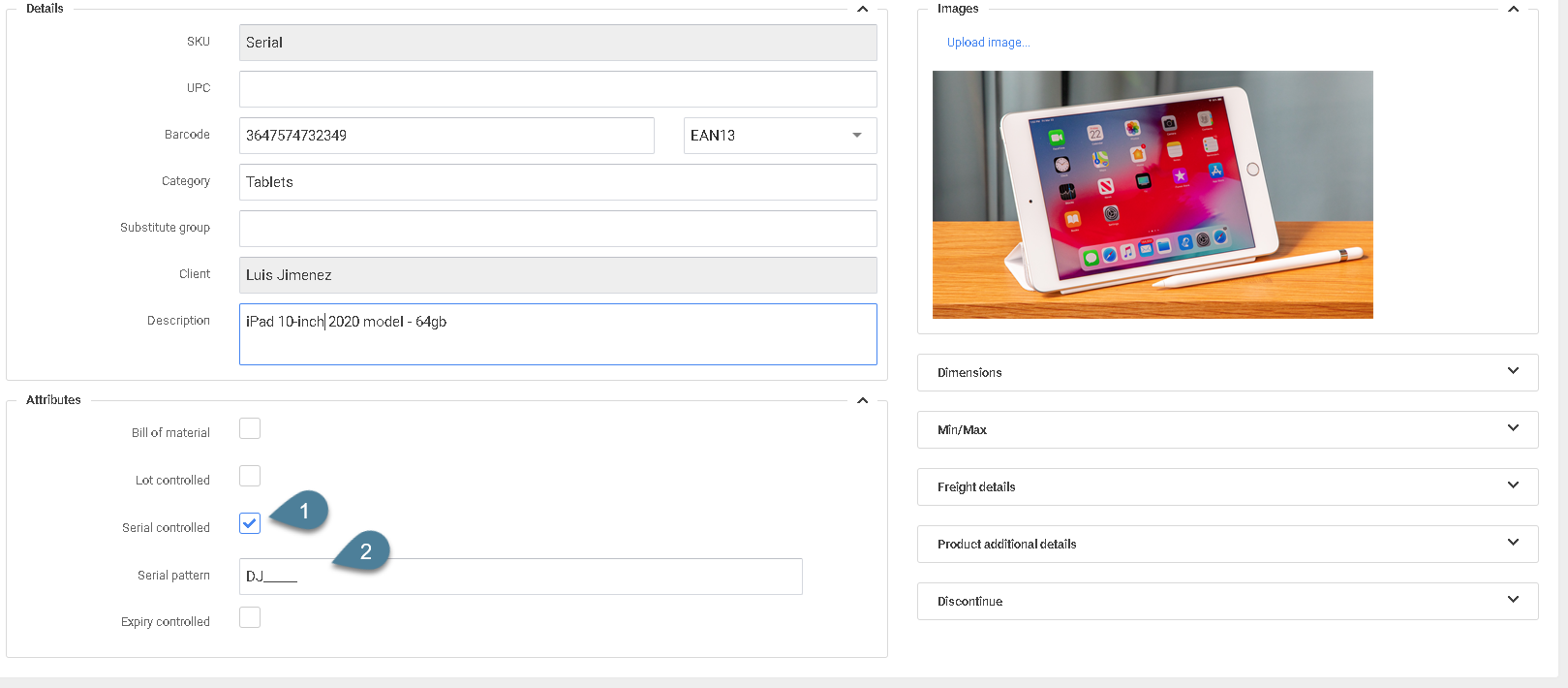
Attribute settings need to be selected priory to transacting any transactions for this product in the system.
Was this page helpful?