 P4 Software
/
P4 Warehouse
P4 Software
/
P4 Warehouse
P4 Software
/
P4 Warehouse
P4 Software
/
P4 Warehouse
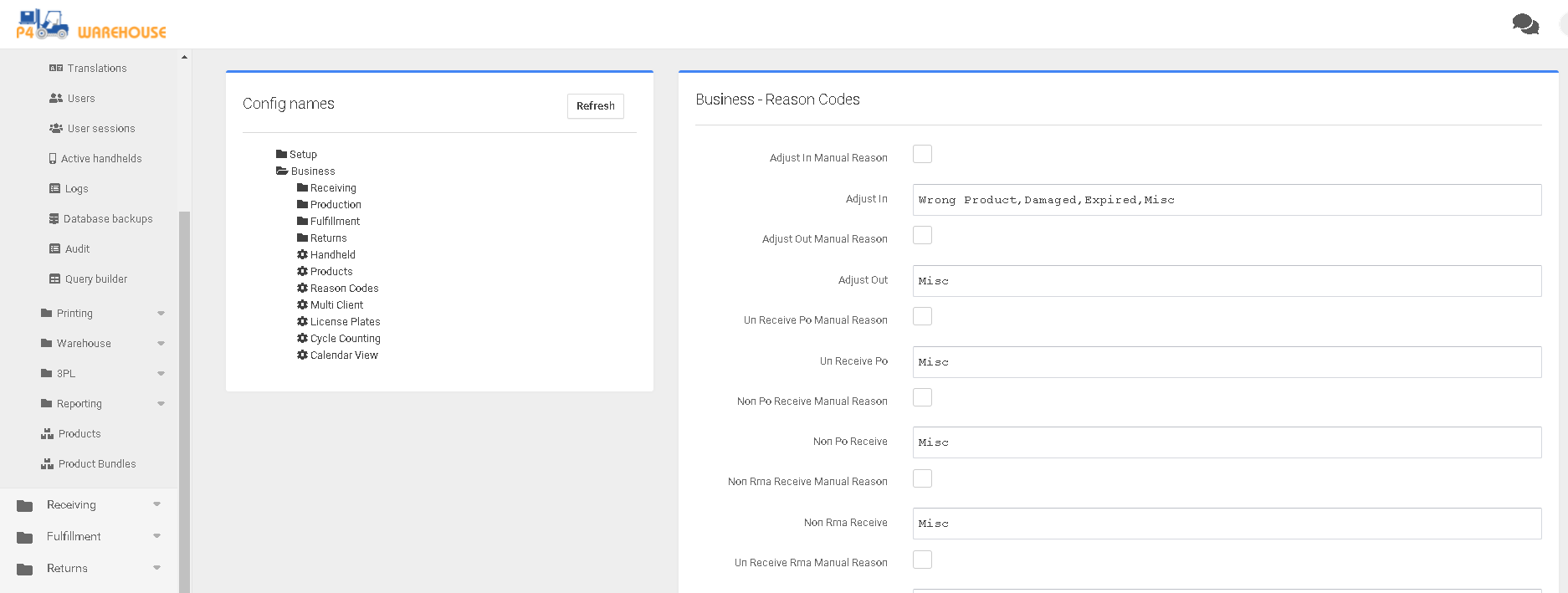
This configuration page features Adjust in, Adjust out, Unpick, Customer Return and Vendor Return. Within each field one can enter a comma-separated list of Reason Codes for each field. After modifying any entry, select the “Save” button to the lower right.
These Reason Codes will be displayed on the mobile device when adjusting product quantities.
Was this page helpful?