 P4 Software
/
P4 Warehouse
P4 Software
/
P4 Warehouse
P4 Software
/
P4 Warehouse
P4 Software
/
P4 Warehouse
The Print Queue allows you to view jobs sent to all Printers in a grid format that is exportable. Column filtering is available on all columns in the grid.
Reprinting of a label job is done by selecting the correct row and clicking the Reprint Button.
If label status is Printed but the label did not print, then you need to check:
1. The printer is turned on, has Labels and if required ribbon.
2. The server / computer that is running the Print Agent is turned on and has an internet connection.
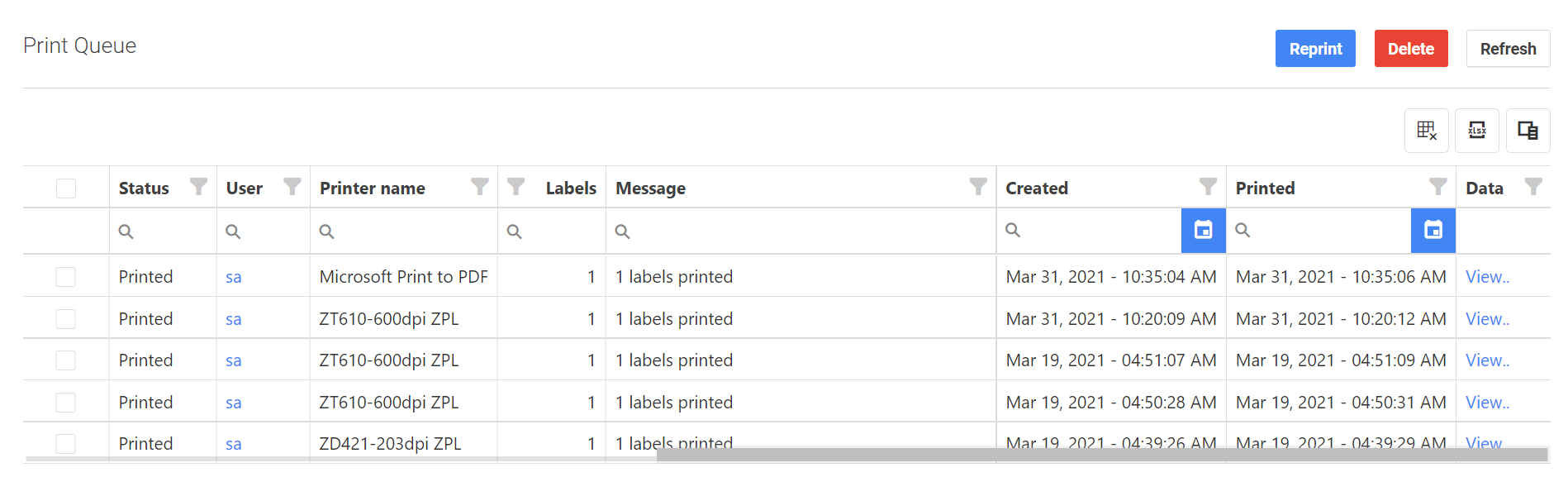
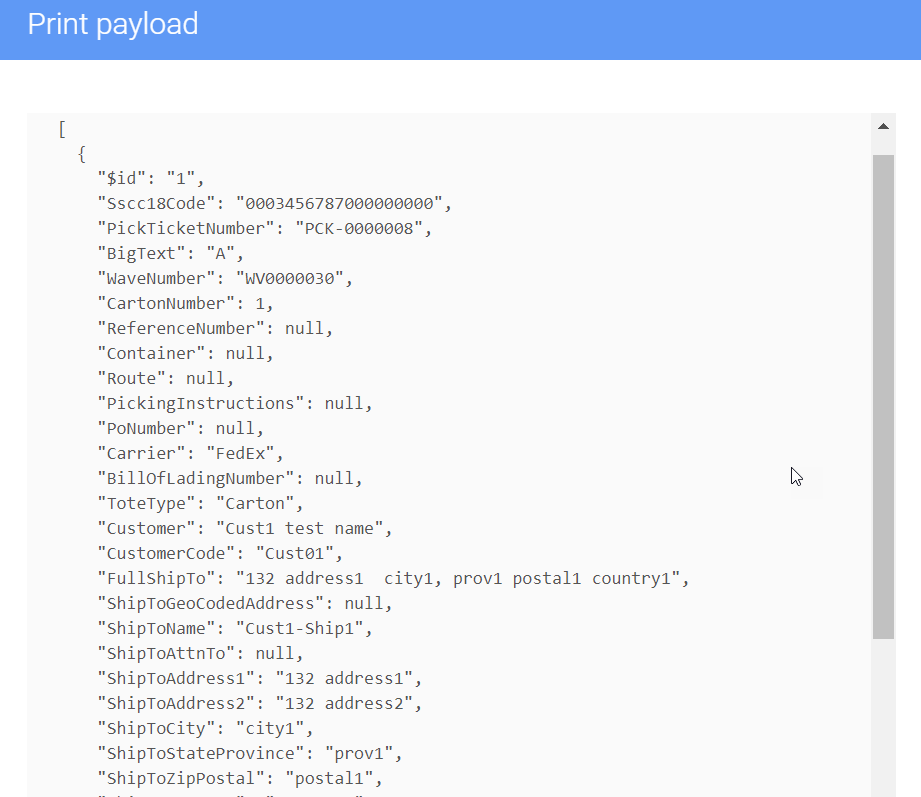
View label data by clicking on the "View" hyperlink under the Data column for the selected print job row.
Was this page helpful?