Home
Welcome to anota
Applies to: anota, all plans (including the free Starter plan) Roles required: none (anyone with an anota account) Regulatory references: none
Overview
Welcome to the anota user guide. anota is an online form builder: you design a form in a drag-and-drop editor, publish it as a public page with its own link, and every response lands in that form's Submissions inbox. This guide shows you how, one task at a time, with the screen you should see at every step.
A form can use the Classic layout, a web page the visitor scrolls through, or the Card layout, one question at a time on a full-screen card. You can add Conditional logic that shows, hides or requires fields as people answer, a signature pad, file uploads, and your own colors, font and logo. One form can hold its texts in Spanish, English and Portuguese, and visitors pick their language on the public form. Thousands of Templates give you a head start.
When responses come in, anota can email your team and send the respondent an automatic reply, and you can download any submission as a PDF. You can invite your team with roles that decide what each person can do, and connect anota to other tools through its REST API, or to Claude and ChatGPT through its connector.
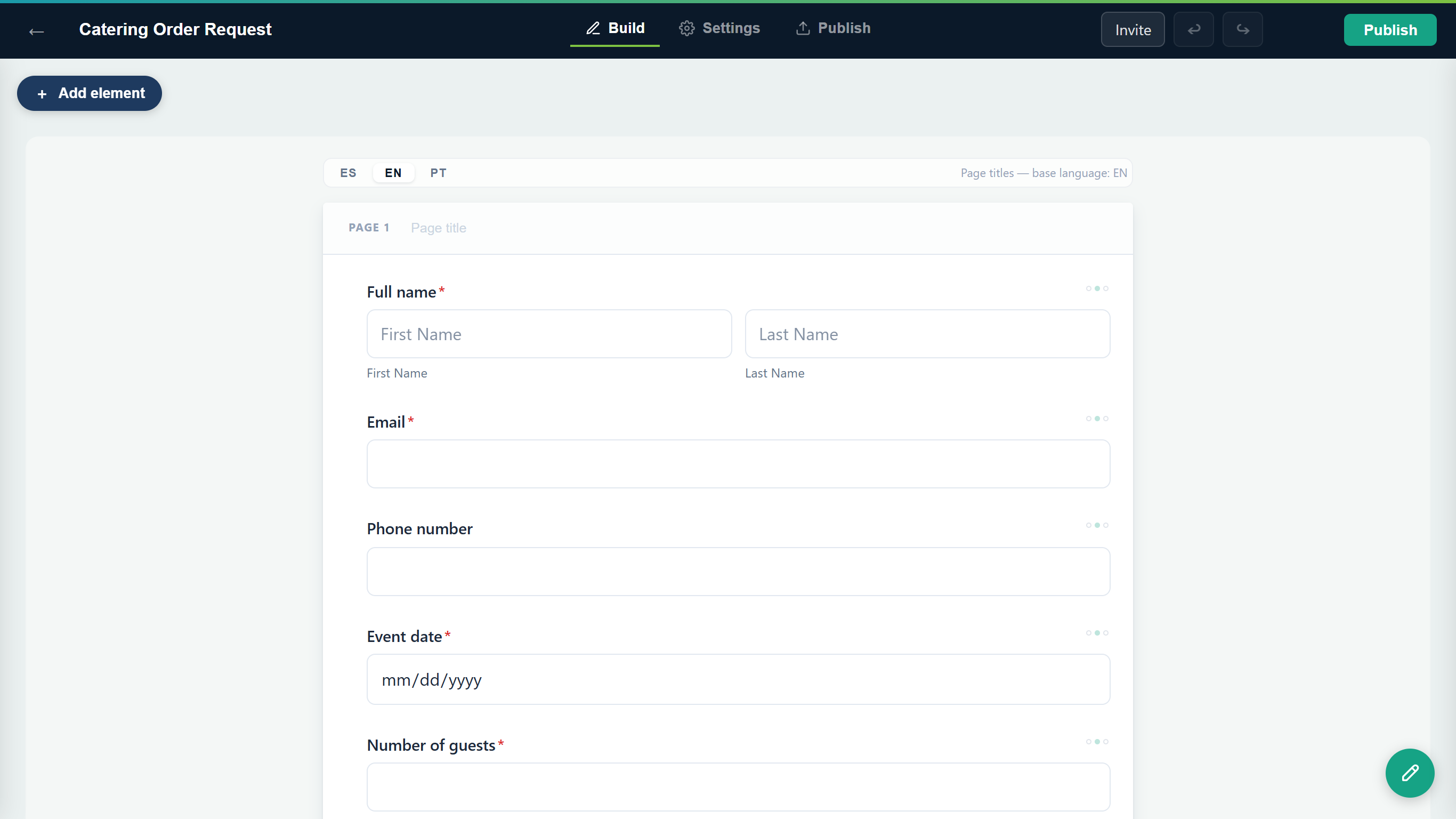 A form open in the anota editor.
Start here
New to anota? Read these four guides in order. Together they take you from an empty account to reading your first responses.
- Getting started: create your account, build a small registration form, publish it and see the first response arrive, in about ten minutes.
- The form editor: add, move, duplicate and delete fields, set their properties, split a form into pages and change a form that's already live.
- Publish and share: make a form public, share its link and QR code, embed it on your website, and close or pause it.
- Submissions inbox: find the responses your form receives and open them.
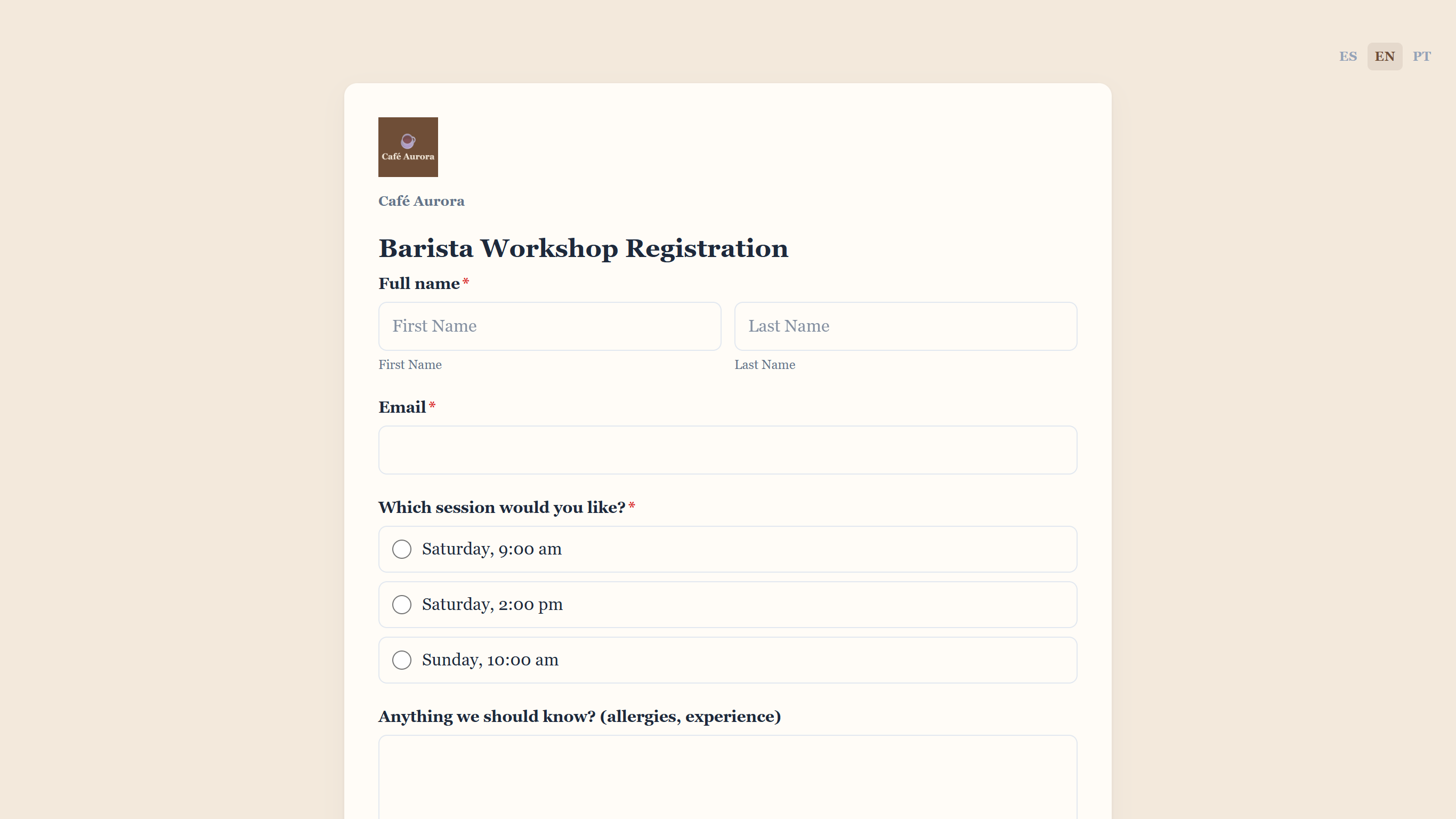 What visitors see: a published form with your logo and a language switcher.
All guides
Getting started
- Getting started: create your account, build and publish your first form, and receive your first response.
The form editor
- The form editor: find your way around the editor, add and arrange fields, use pages, and publish changes.
- Field types: every field you can put on a form, from short text to ratings, matrices and dates, and the settings that make each one different.
- Classic and Card layouts: the difference between the two layouts, how to choose one, and what respondents see in each.
- Conditional logic: show a field only when it applies, make it required in some cases, skip a page, calculate a number, email a copy, or end on a different thank-you message.
- Theme and appearance: give a form your brand's colors, font, button style and logo.
- Signatures and file uploads: collect a signature and supporting files, and find them in Submissions and in the PDF.
- Multilingual forms: write a form in Spanish, English and Portuguese, and see which language each response came in.
Templates
- Templates: search and preview the template gallery and create a form from a template.
Publish and share
- Publish and share: publish a form, share or embed it, publish later changes, and close it on a date or pause it.
Submissions inbox
- Submissions inbox: open a form's inbox, filter new, flagged or spam submissions, and open one.
- View and manage submissions: read a submission and its files, flag it, mark it as read or spam, or delete it.
- Export to PDF: download a submission as a PDF and choose the form's PDF layout from nine Templates.
- Email notifications: email your team when someone responds, send the respondent an automatic reply, and test both.
Team and roles
- Team and roles: see who has access to your workspace, check your seats and switch between workspaces.
- Invite members: invite people by email, accept an invitation, and resend or revoke one.
- Roles and permissions: what Owners, Admins, Editors and Viewers can do, and how to change a role or remove a member.
Company and branding
- Company and branding: where your Company name and logo appear, how to use a different logo on one form, and the "Powered by anota" footer.
- Company name and logo: set, replace or remove your company's name and logo for the whole workspace.
Plans and billing
- Plans and billing: check your plan and usage, compare the Starter, Bronze, Silver and Gold plans, upgrade, and manage your subscription.
Account settings
- Account settings: open your personal settings, move between their sections and log out.
- Profile and security: change your phone number, email and password, download your data, review connected apps, or delete your account.
- Two-factor authentication and passkeys: protect your login with an authenticator code, recovery codes or a passkey.
Developers and API
- Developers and API: create an API key, make your first request, send new submissions to your own system with a webhook, and find the full API reference.
- Connect Claude and ChatGPT (MCP): connect an AI assistant to anota and build, publish and review forms by asking in plain language.
Was this page helpful?