 P4 Software
/
logisticaHQ-en
P4 Software
/
logisticaHQ-en
P4 Software
/
logisticaHQ-en
P4 Software
/
logisticaHQ-en
LogisticaHQ keeps a history of every change made to its main records: who created a product, who changed a purchase order's date, who edited a customer's address, who deactivated a user, and exactly what each field was before and after. History search finds every change recorded against one document or code, across every kind of record, in one list.
Use it when you know what changed but not where to look, for example "someone changed PO-000123", or when the same code exists on several kinds of record, such as a bin and a zone that share a name.
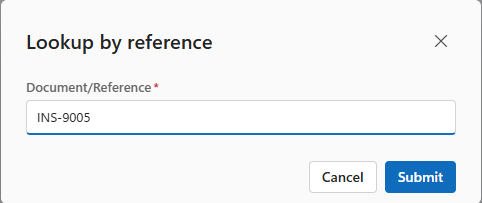
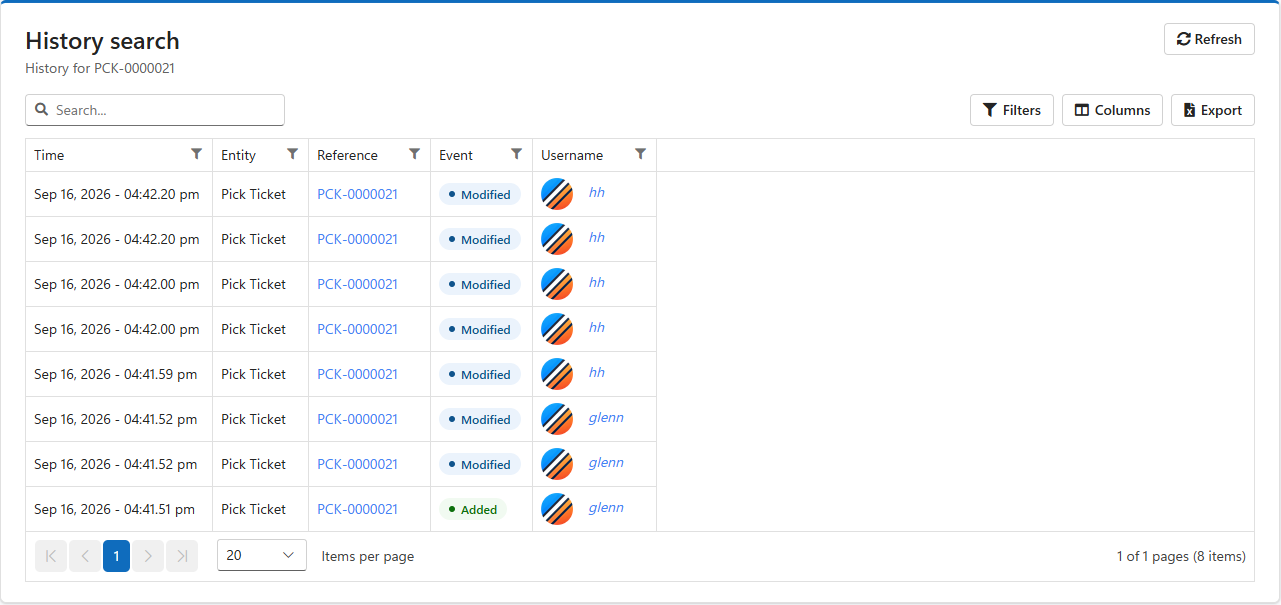
Click Refresh to search for something else. The search matches the whole reference exactly, including capital letters: INS-9005 finds the product, ins-9005 and INS-90 find nothing.
| Record | Its reference |
| Product, bundle | The SKU |
| Pack size, product category, subcategory | The name |
| Purchase order | The PO number |
| Pick ticket (order) | The order number |
| Customer return | The RMA number |
| Production order | The production order number |
| Surgical tray (kit) | The kit number |
| Customer, vendor | The customer or vendor code |
| Warehouse, zone, bin | The warehouse code, zone code or bin code |
| Pallet (LPN), tote | The SSCC |
| User | The username |
| Carton size, dock door, cartonization profile, address, shipping rule | The name or code |
| Configuration setting, module | The setting's or module's name |
A purchase order line or return line is recorded under its line number, so a search for 1 lists line 1 of every order. To see the changes to one order's lines, open the order and click its History button instead.
| Column | Meaning |
| Time | When the change was saved, to the second, in your time zone. |
| Entity | The kind of record, such as Product, Pick Ticket, Purchase Order or Bin. |
| Reference | The reference searched for. Click it to open that record's full history with every field that changed. |
| Event | Added (green) when the record was created, Modified (blue) when it was changed, Deleted (red) when it was removed. |
| Username | Who made the change. Unknown means the change was made by the system itself, such as an import or a scheduled task. |
The list works like every other: search, filter, choose columns and export to Excel.
Clicking a reference opens the record's history page. The Events column on the left lists every change, newest first. Click one to see, on the right, who made it and when, and under Changes each field that changed: the old value struck through in red, the new value in green. A field that was empty before shows only its new value. The same page opens from the History button on the record's own screen.
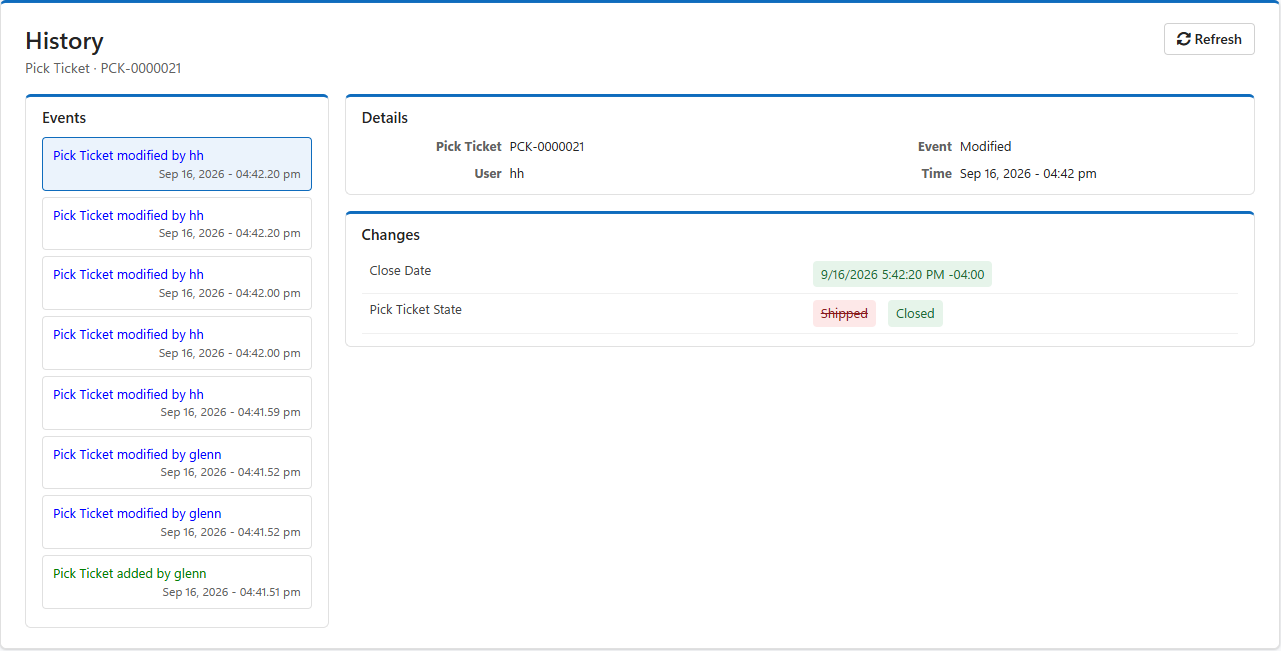
Reading an order's history from the bottom up tells its story: who created it, who released it, and when it was picked, shipped and closed.
| Question | Where to look |
| Who changed this record's details, and from what to what? | History (this page, or the record's History button) |
| Where did this stock go, who moved, picked or counted it? | Audit |
| What error did the system record? | Logs |
Was this page helpful?