
P4 Software P4 Software / logisticaHQ-en

Add these docs to Claude

Ask Claude questions about these docs. Claude reads the published pages and links you back to them. Copy this address:

https://docs.p4software.cloud/mcp

In claude.ai or Claude Desktop: open Settings, then Connectors, choose Add custom connector and paste the address.

In Claude Code, run:

claude mcp add --transport http docs https://docs.p4software.cloud/mcp

Production picking

Picking

In this screen you will be directed to pick the raw goods and place these goods in the assigned Production area / line.
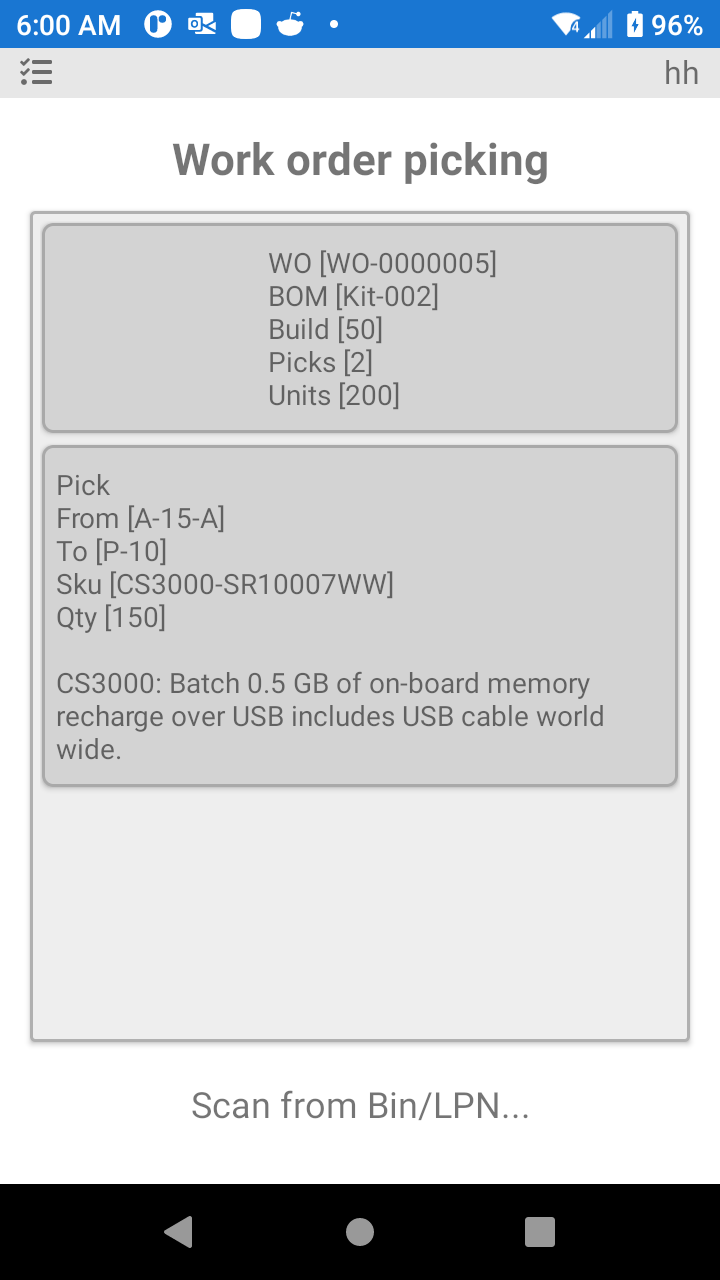
LogisticaHQ Raw Goods picking

For raw goods Picking follow the instructions on the bottom of the PDT screen.

Was this page helpful?