 P4 Software
/
logisticaHQ-en
P4 Software
/
logisticaHQ-en
P4 Software
/
logisticaHQ-en
P4 Software
/
logisticaHQ-en
For detailed information on Carton Picking please contact your LogisticaHQ Partner.
Carton Picking is designed for Picking of cartonized boxes, Labels get automatically assigned to the boxes and the boxes get placed on an LPN.
Pre-Printed LPN Labels are required for this Pick style.
Carton Picking or Cartonization is a Picking style where the LogisticaHQ tells the picker what box size to pick the product into. Cartonization follows a pre-defined Cartonization Profile. Depending on the regulations published by your Big Box client, as to how the cartonization profile will be configured. Once the cartonization profile is configured and created it is assigned to the Customer in LogisticaHQ. Then when a web dispatcher is processing orders for this client the cartonization rules will be followed to keep your shipment in compliance with your customers' requirements.
When the Pick Labels are printed the box size or name will be printer on the top right of the pick Labels. The picker will need to retrieve the correct boxes from the packaging Inventory.
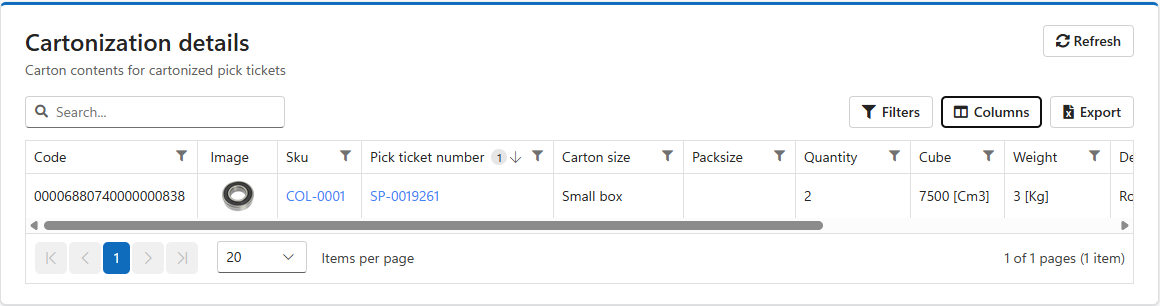
In the image above, order SP-0019261 fits into one Small box: two units of COL-0001 with a packed weight of 3 kg. This is based on the cartonization profile assigned to this Customer.
Was this page helpful?