 P4 Software
/
logisticaHQ-en
P4 Software
/
logisticaHQ-en
P4 Software
/
logisticaHQ-en
P4 Software
/
logisticaHQ-en
Value-added services (VAS) are the extra work your warehouse does beyond receiving, storing and shipping: relabelling, price ticketing, polybagging, kit assembly, gift wrapping, palletising, stretch wrapping, inspection and so on. In LogisticaHQ you define each service once, and operators then record every time they perform it, against the order, product, pallet or document it was done for. Each record keeps who did it, when, against what and how many, which gives you a full history and, for 3PL warehouses, the activity to bill the client for.
Open Setup > System > Value-added services. The list shows every service with how it is recorded:
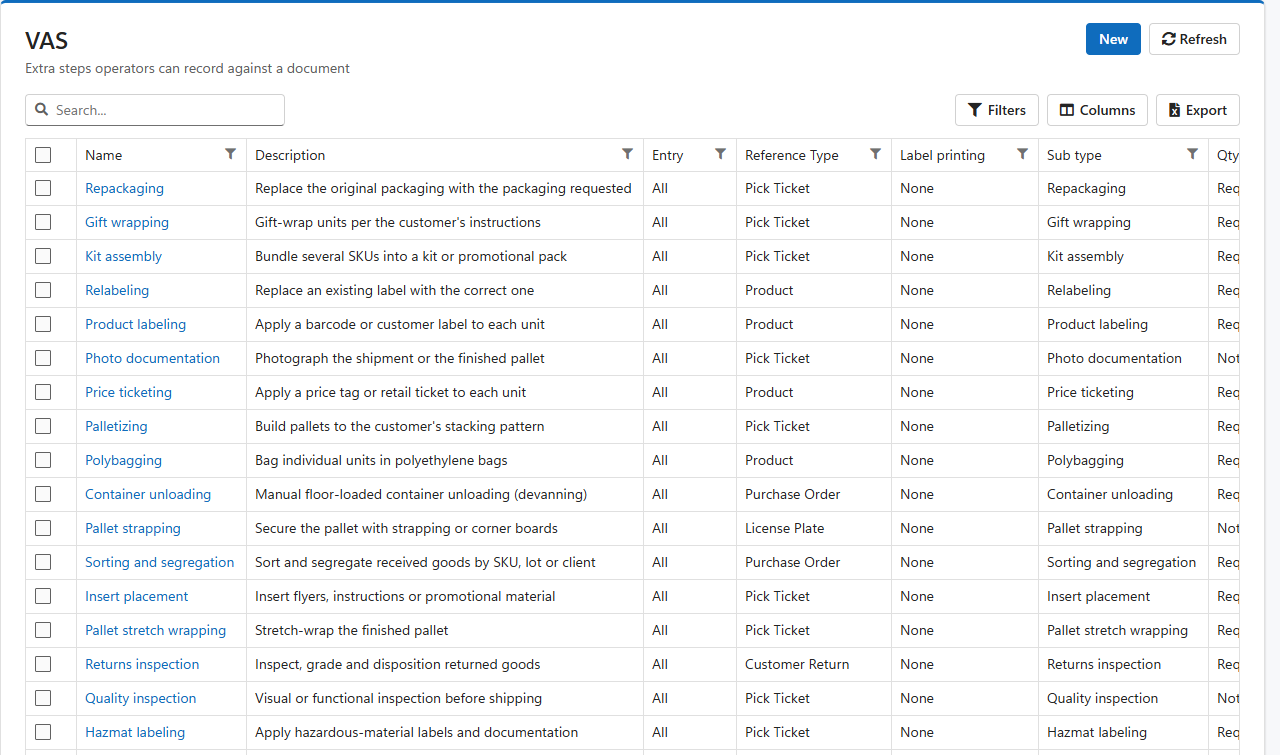
| Column | Meaning |
| Name | The service as operators see it in the VAS menu. |
| Description | What the service involves. |
| Entry | Where the service can be recorded: All, Handheld only or Web only. |
| Reference Type | What the service is recorded against, for example a pick ticket or a product. |
| Label printing | Whether recording the service prints labels. |
| Sub type | A code that groups services for reporting and billing. |
| Qty required | Whether the operator must enter how many units the service covered. |
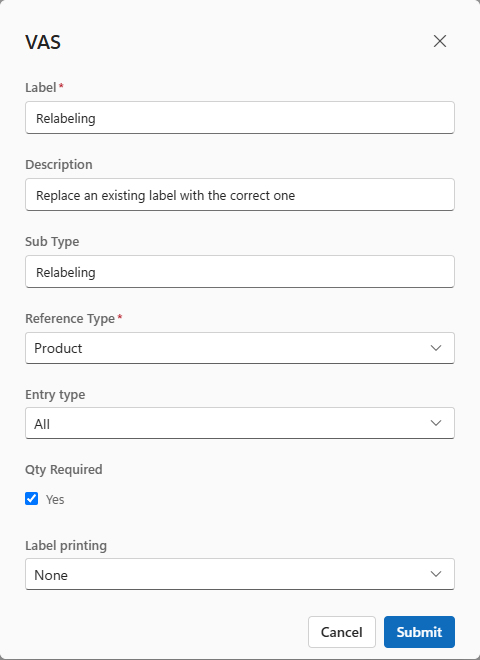
| Field | What to enter |
| Label | The service's name, as it appears in the VAS menu. Required. |
| Description | A sentence explaining the service. |
| Sub Type | A code for grouping, for example Labelling. 3PL billing queries can price services by their sub type or by name. See the Billing query library. |
| Reference Type | What the operator scans or types to say what the service was done for. Required. One of: Bin, Customer Return, License Plate, Master Truck Load, Pick Ticket, Product, Production Order, Purchase Order, Tote Master or Truck Load. Choose the document the work belongs to: gift wrapping to the pick ticket, devanning to the purchase order, stretch wrapping to the license plate. |
| Entry type | All to record the service from both the web and the handheld, Handheld or Web to limit it to one. |
| Qty Required | Tick when the operator must enter how many units the service covered, for example 200 price tickets. Leave it clear for services done once per reference, such as photographing a shipment. |
| Label printing | None prints nothing. One prints one label for the reference when the service is recorded. Quantity prints one label per unit recorded, useful for relabelling or price ticketing. |
To remove services, tick them in the list and click Delete on the selection bar. LogisticaHQ asks you to confirm first.
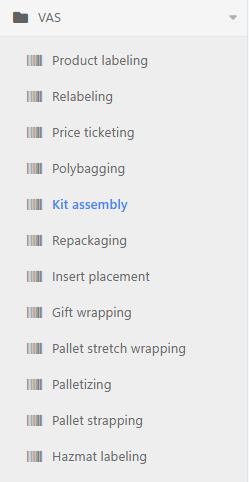
Every service appears in the VAS menu, on the web and on the handheld, according to its entry type.
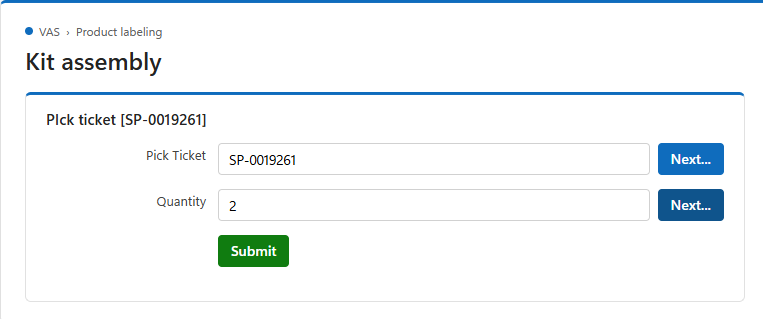
Recorded services are part of each client's activity. To charge for them, add a Service rule to the client's billing profile that counts or sums the records by service name or sub type. Ready-made queries are in the Billing query library, under Custom actions (VAS) by action.
Was this page helpful?