 P4 Software
/
logisticaHQ-en
P4 Software
/
logisticaHQ-en
P4 Software
/
logisticaHQ-en
P4 Software
/
logisticaHQ-en
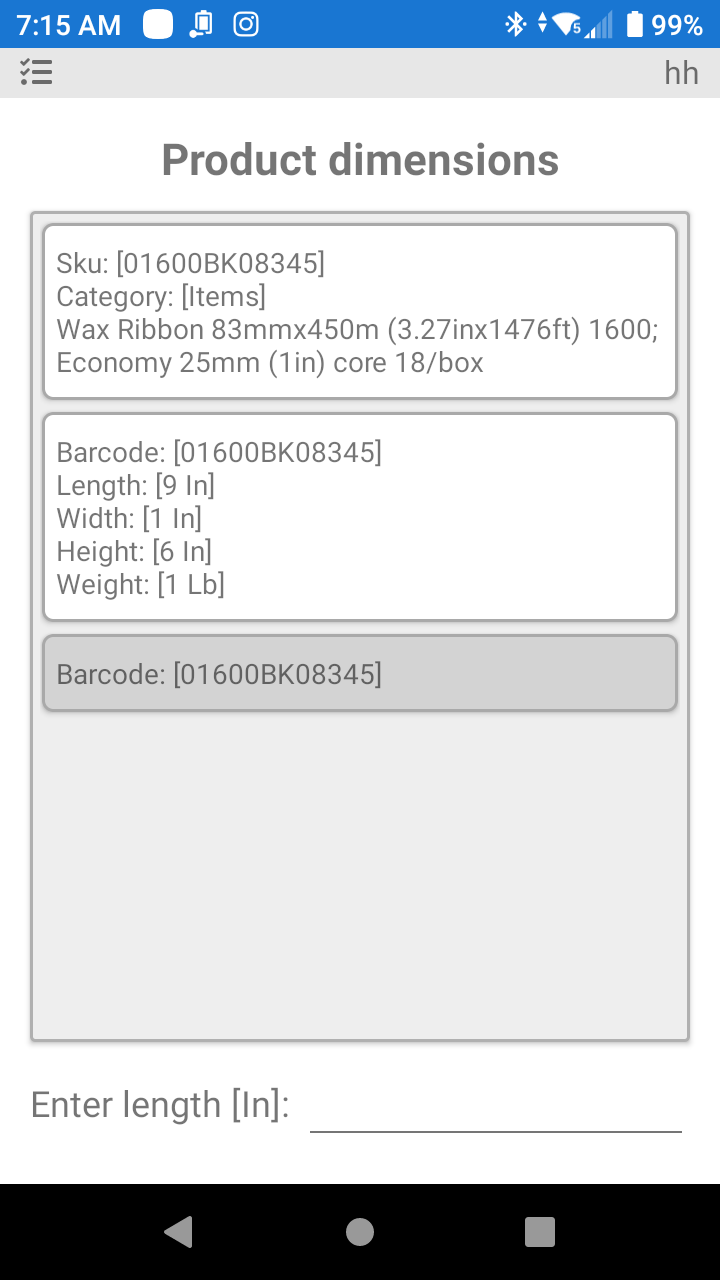
Product Dimensions and barcode data can be collected from the PDT. By entering the PDT function of product dimensions, then scanning the product you will be presented with the options to enter dimensional data for the product and the different packsizes (if the product has packsizes).
This function is normally delegated to the Quality Control Department.
Was this page helpful?