 P4 Software
/
logisticaHQ-en
P4 Software
/
logisticaHQ-en
P4 Software
/
logisticaHQ-en
P4 Software
/
logisticaHQ-en
Cycle Count by Product is a process where the system will direct you to every bin that has a specific product. When entering the Cycle Count by Product menu on your PDT you will be directed to scan a product, then the LogisticaHQ System will begin directing you to the specific Bins you will need to count.
When Cycle Count by Product process is used, please remember it is critical you count ALL the Bins with the product, or you will lose the product you did not count.
If you are directed to a mixed SKU bin you only count the SKU originally selected.
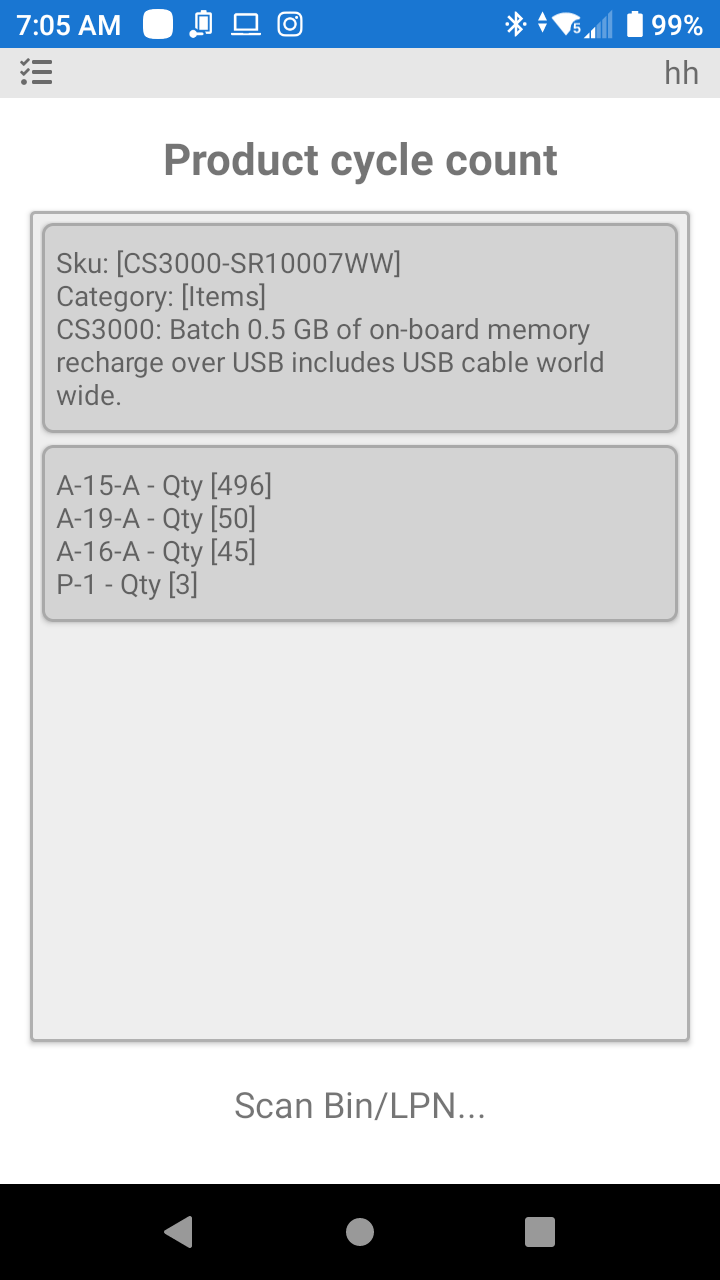
In the Photo above you will see that there are 4 Bins that need to be counted to complete the Task.
Was this page helpful?